
Solutions
Everything your teams need to make AI part of everyday work.
Claara is a ready-to-use workspace that connects your company knowledge to practical AI tools. Find answers faster, produce business documents with less effort, improve the information people rely on and keep access under company control.
Bring company knowledge into one AI workspace.
Connect supported company sources and documents so employees can stop hunting through folders and start using the information they need. Standard sources get you started; tailored connectors can extend Claara to additional systems when required.
- Approved files and connected sources
- Indexed company knowledge
- Available to authorized questions and Gestures
Ready to use
- Upload PDF, Word and text documents to your knowledge base
- Google Drive
- Microsoft OneDrive, including folders shared with you
- PDFs, images and spreadsheets attached to a conversation
- Web search when an answer depends on current information
On request
Additional connectors can be designed and scoped for your company’s systems. Complexity is assessed case by case.
Availability, syncing and data-residency options depend on the configuration and your scope.
Find answers in seconds, not across dozens of files.
Ask everyday business questions and get relevant answers grounded in approved company documents. Claara keeps the answer in the right knowledge context, while each user’s permissions determine what they may access.
What is our finance policy?
- Voices define specialized knowledge scopes, such as HR policies or tender procedures.
- Permissions are set separately, for each user and role.

Turn hours of document preparation into minutes.
Create reports, proposals, SOPs, training material and analyses using guided inputs instead of starting from scratch. Ready-to-use Gestures cover common outputs. Tailored Gestures can reflect your own templates, inputs and business rules.
Ready-to-use Gestures
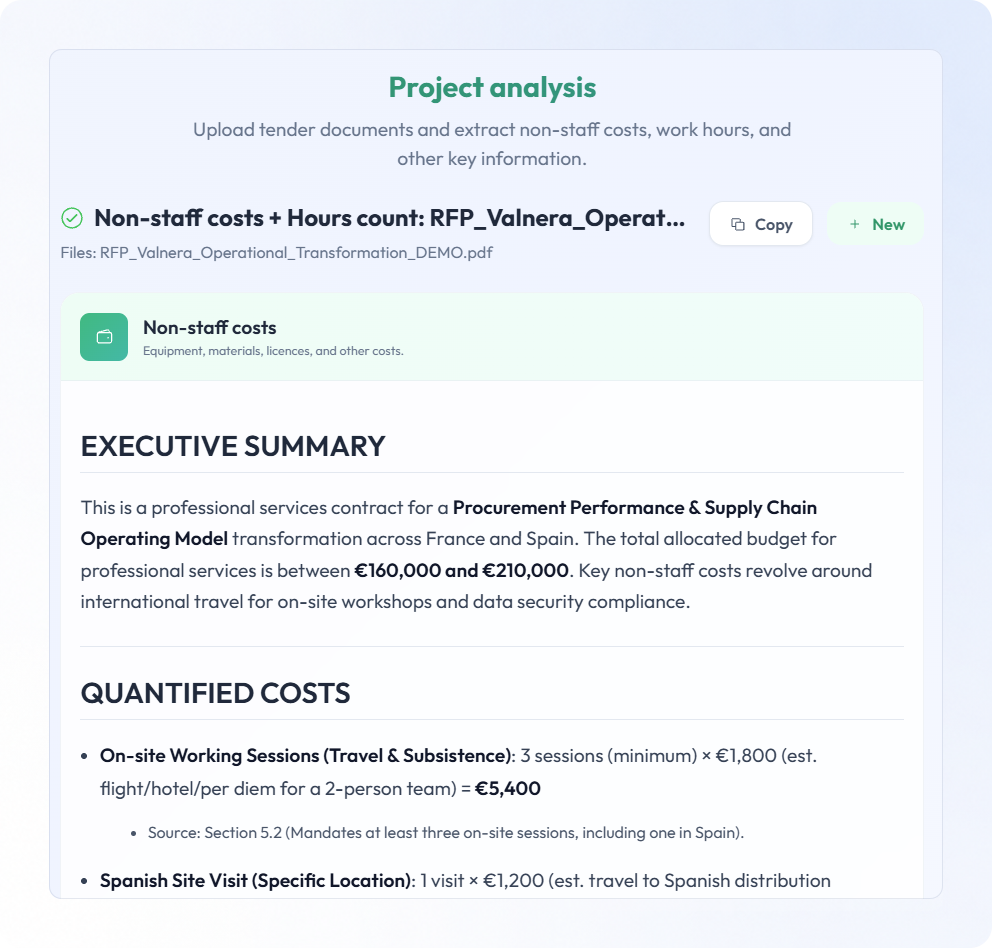
- Project analysisCosts, hours and requirements from tender documents
- Process generatorSOPs and flowcharts from text, audio or documents
- Course creatorOutlines, modules, quizzes and handouts
- Audio transcriberMeetings, interviews and voice notes as text
- Lead FinderStructured lead lists from a plain request
- Write contentArticles, blog posts and press notes
- Social mediaPosts written for each channel
- Content transformerPosts, newsletters and FAQs from existing material
- Podcast from articleA two-host audio episode from source content
- Image studioCreate or edit images from a prompt



Tailored Gestures
Developed for a company’s own methods and outputs. Some examples:
Custom data connectors and tailored outputs may need scoping and development.
Stop working with outdated or contradictory information.
Spot missing, conflicting, outdated and duplicate information in the company knowledge base. Let the responsible people review and update source documents, so future answers become more reliable.
- Questions
- Issues found
- People review
- Sources updated
- Better answers
Changes are reviewed and made by people, never silently by an automated process.


Give everyone practical AI, without losing control.
Manage who can access which information, work with approved AI models and keep company knowledge under responsible ownership. Your business gets a common AI workspace instead of disconnected individual tools.
Knowledge scope
A Voice groups the documents for one area of expertise.
Access
Roles and access levels decide who can use each Voice, folder and Gesture.


See Claara in action.
Discuss your company’s workflows and tailored needs with us.
Have a tailored use case? Contact us at contact@claara.tech.